Sovran POS

Ring it once. The stock, the tax and the books follow.

SovranPOS takes the payment, moves the stock, signs the sale under KassenSichV and writes the day into your books — on any device, with nothing entered twice.

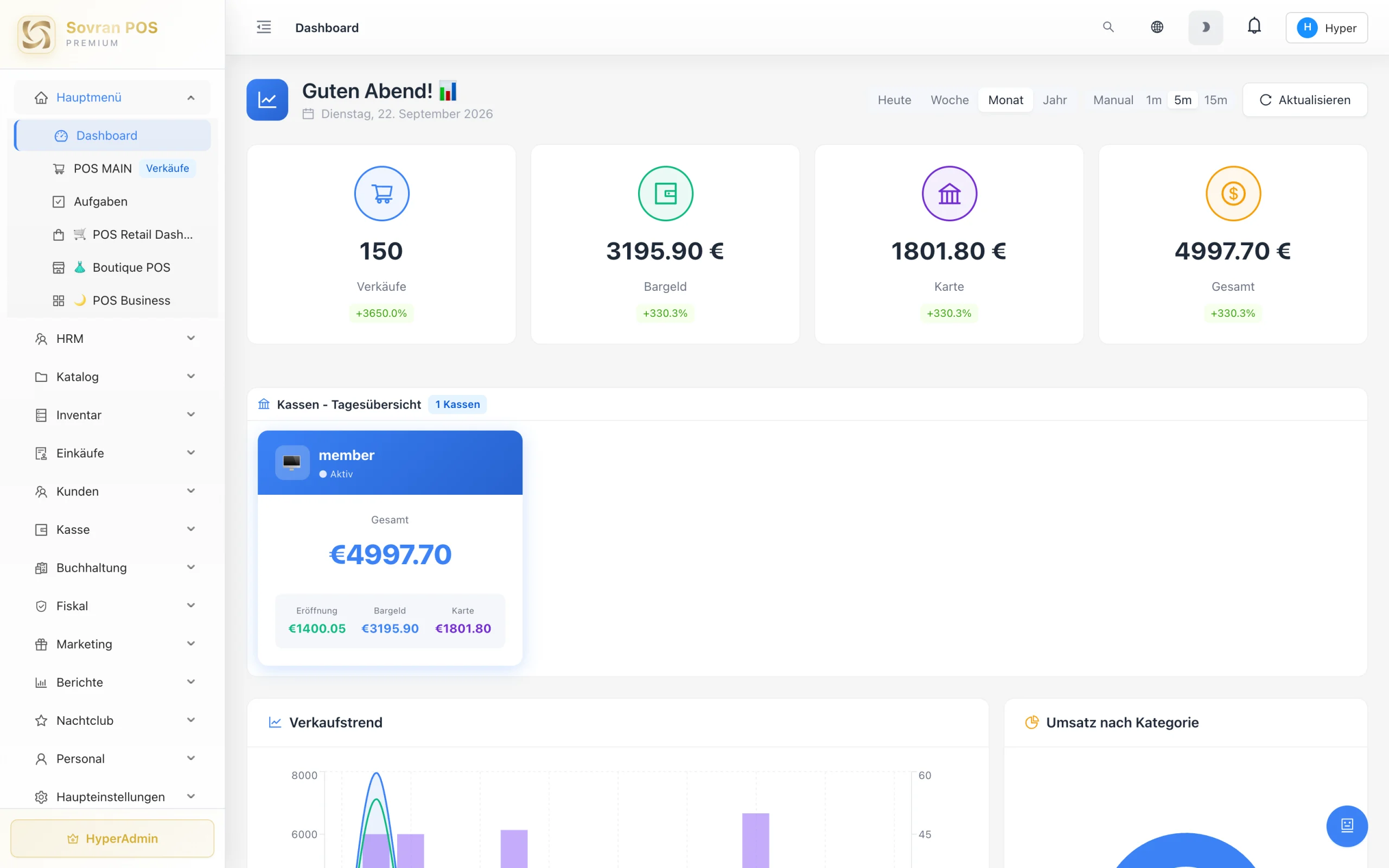
The Sovran POS dashboard, month view: 150 sales, €3,195.90 taken by cash and €1,801.80 by card

The parts around the sale, handled.

The device it runs on, the people who answer when something goes wrong, the price stated up front and the card terminal on the counter.

Works on any device

The till software opens anywhere and that device becomes a till. If one breaks mid-shift, sales don’t stop.

  • Android
  • iPhone · iPad · Mac
  • Windows
  • Browser

Technical support from the team

Requests go straight to the people who build and run the system.

Nothing hidden

The card fee and the subscription — two line items, both stated up front.

Accepts every major card

Payment partner Adyen. The terminal passes it through itself — nothing is entered twice.

Payment partner Adyen
  • girocard
  • Visa
  • Maestro
  • Mastercard
  • American Express
  • Apple Pay
  • Google Pay
After the last guest

The evening shift that starts after closing.

Count the drawer, type the day into a spreadsheet, check the stock, rebuild the month for the accountant. That is the part nobody is paid for — and the part that waits until everyone else has gone home.

SovranPOS writes it while the sales happen. The shift closes into one Z-report, the day is already in the cash book and the stock has followed the receipts. You lock up and go home.

By the time you lock up

One Z-report from the shift — takings, VAT by rate, cash and card separated The day posted in the cash book, not typed in later Stock moved by every sale and every purchase Month end ready as an export for the accountant

Built as one system, not five tools.

Sales, staff, purchasing, accounting and Bar Vision share one set of figures. A sale at the counter is already in the stock and the books; a delivery is already in the stock. Nothing is copied between systems.

Sales

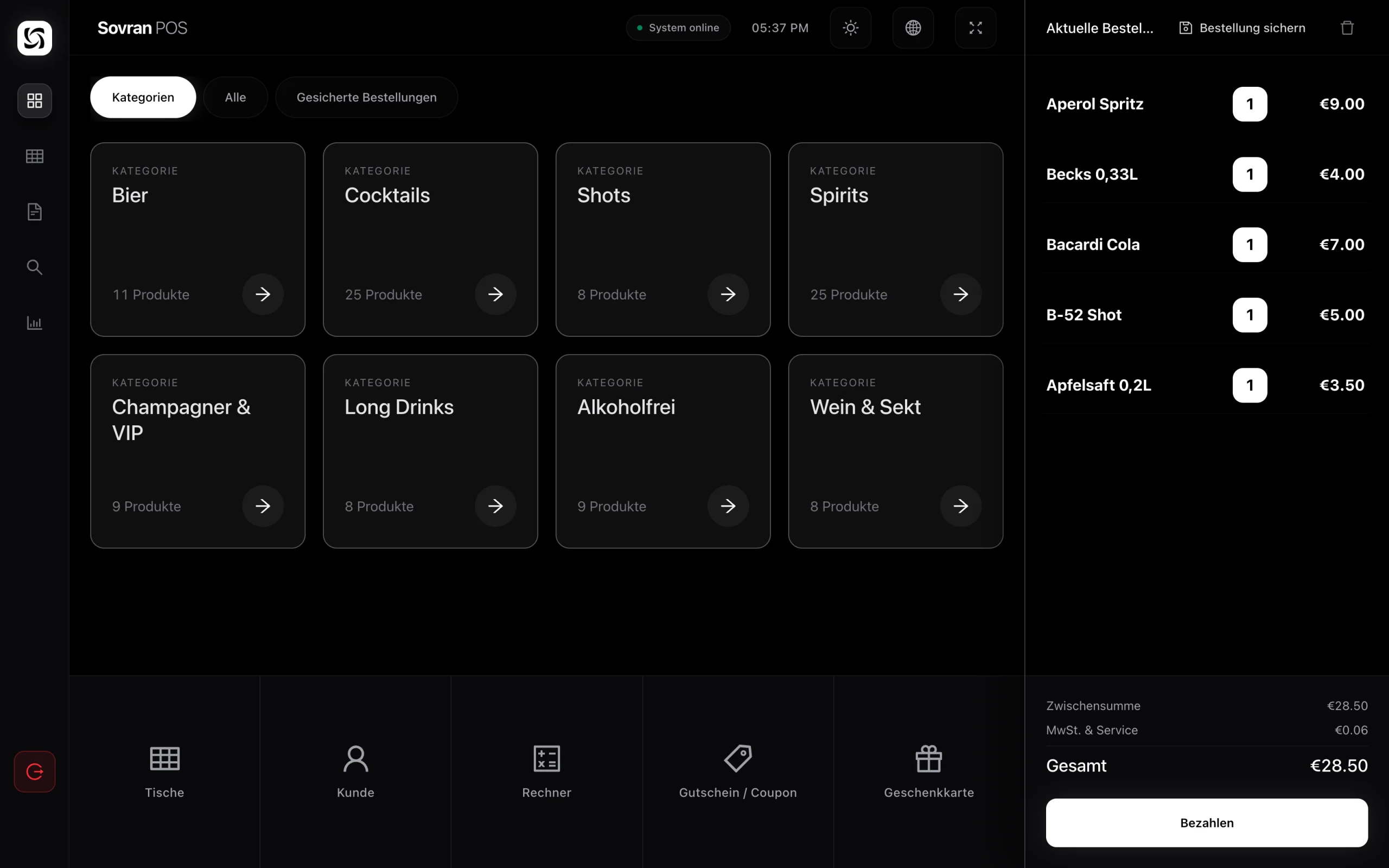
Sell by touch, by scanner or by keyboard. Cash with the change worked out, card through Adyen, gift card and voucher — the receipt comes from the terminal itself. Stock never blocks a sale.

The sales screen in its dark layout: category tiles, five items in the basket and a total of 28.50 euro.

Staff

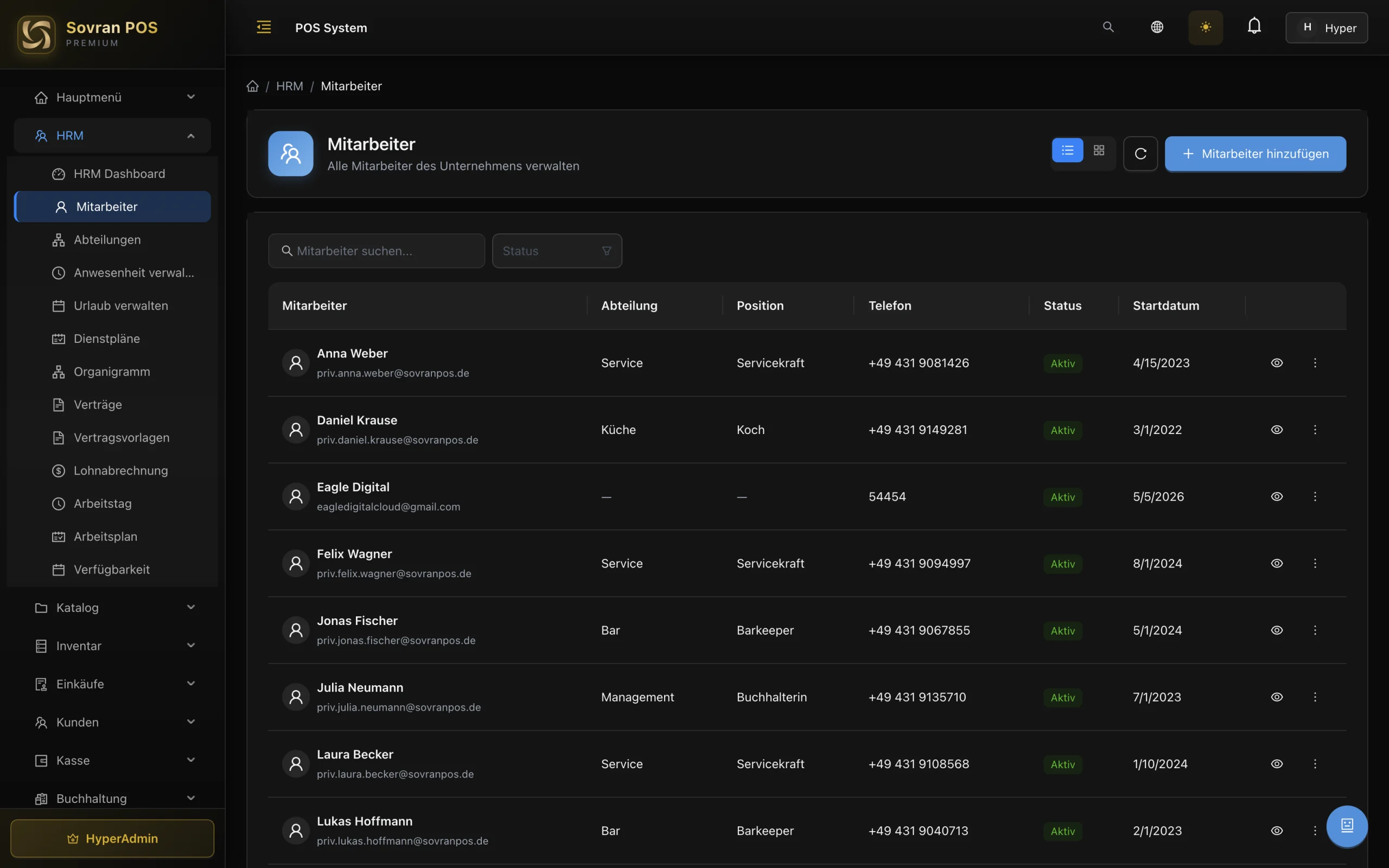
Staff and logins are two separate things — someone can be on your team without ever opening a till. Groups are roles: set the permissions once and everyone in the group inherits them. A log records who opened the till, who closed it and who gave a discount, with name and reason.

The staff list: every employee with their department, position, phone number and start date, and who is active.

Purchasing

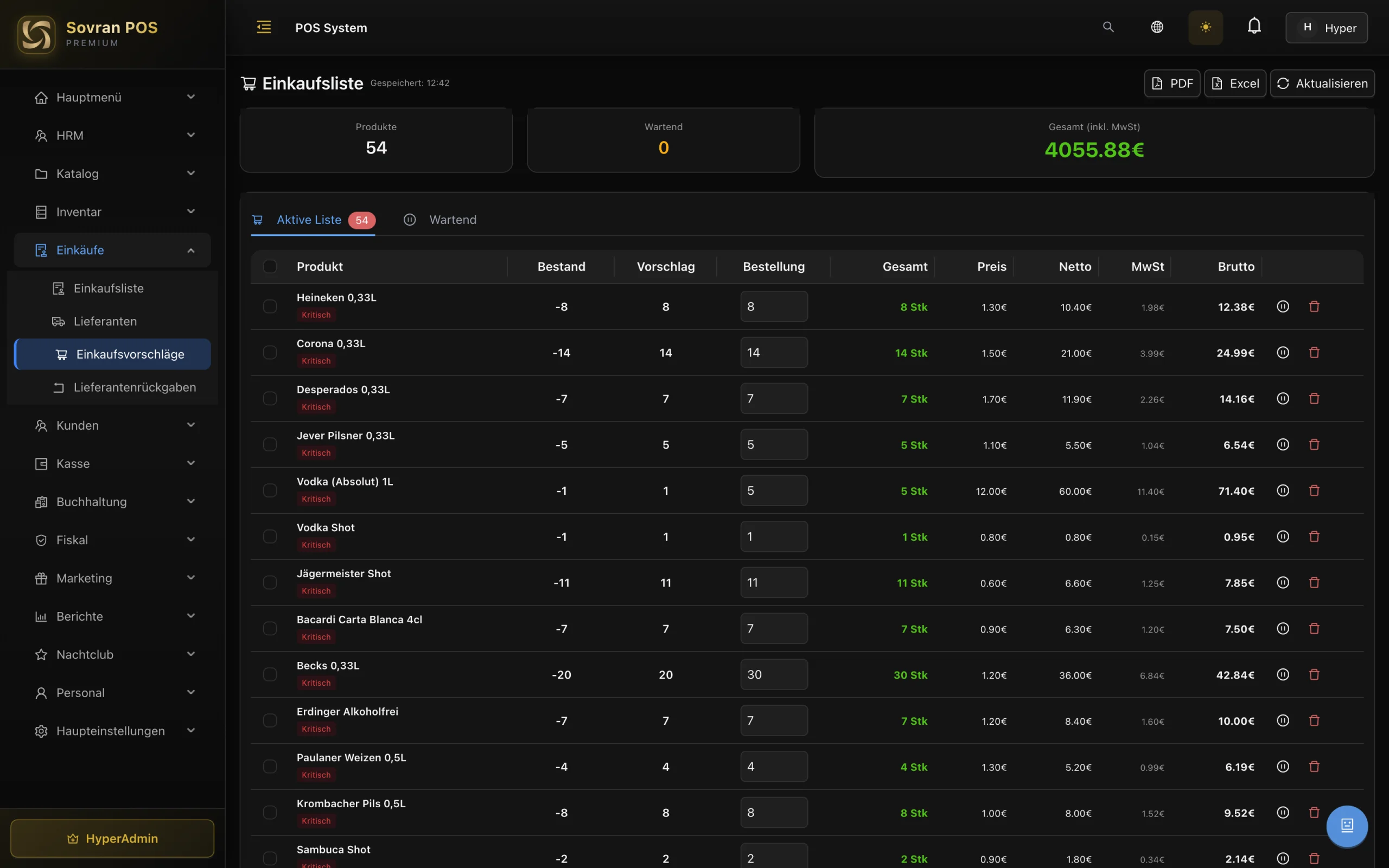
Ordering and storage belong together, otherwise you count everything twice. Several stock locations, each with its own count. You set a threshold per product and the system speaks up when it is reached — with a suggestion of what to reorder.

The purchase list: 54 products with their stock, the suggested quantity and the order quantity.

Accounting

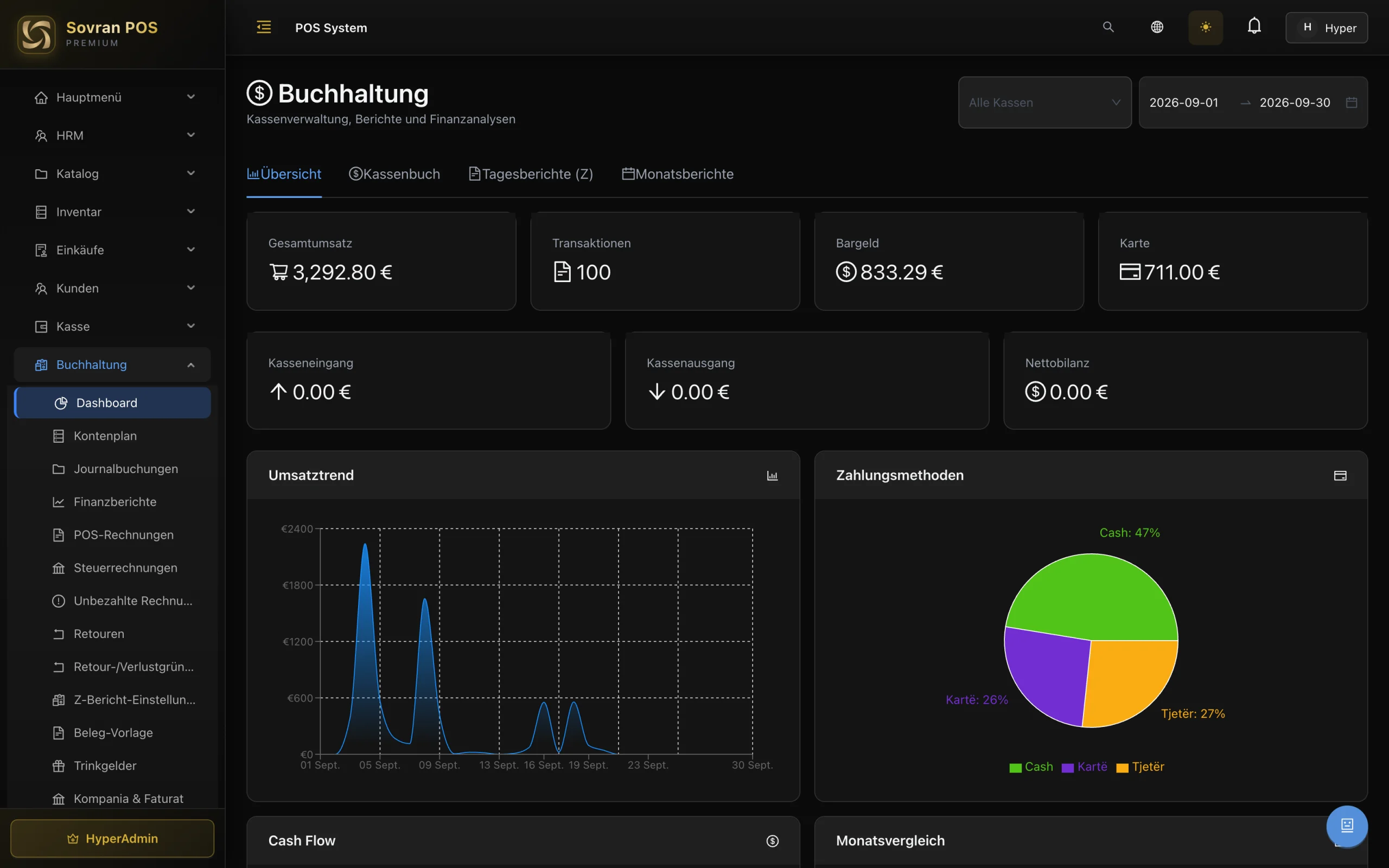
The part that eats the most time in the evening. The daily close lands in the books by itself — nobody types it in afterwards. Tax invoices, exports in your accountant’s format, refunds booked against the original payment.

The bookkeeping overview: turnover, the number of transactions, the cash and card totals and how the payments split.

Bar Vision

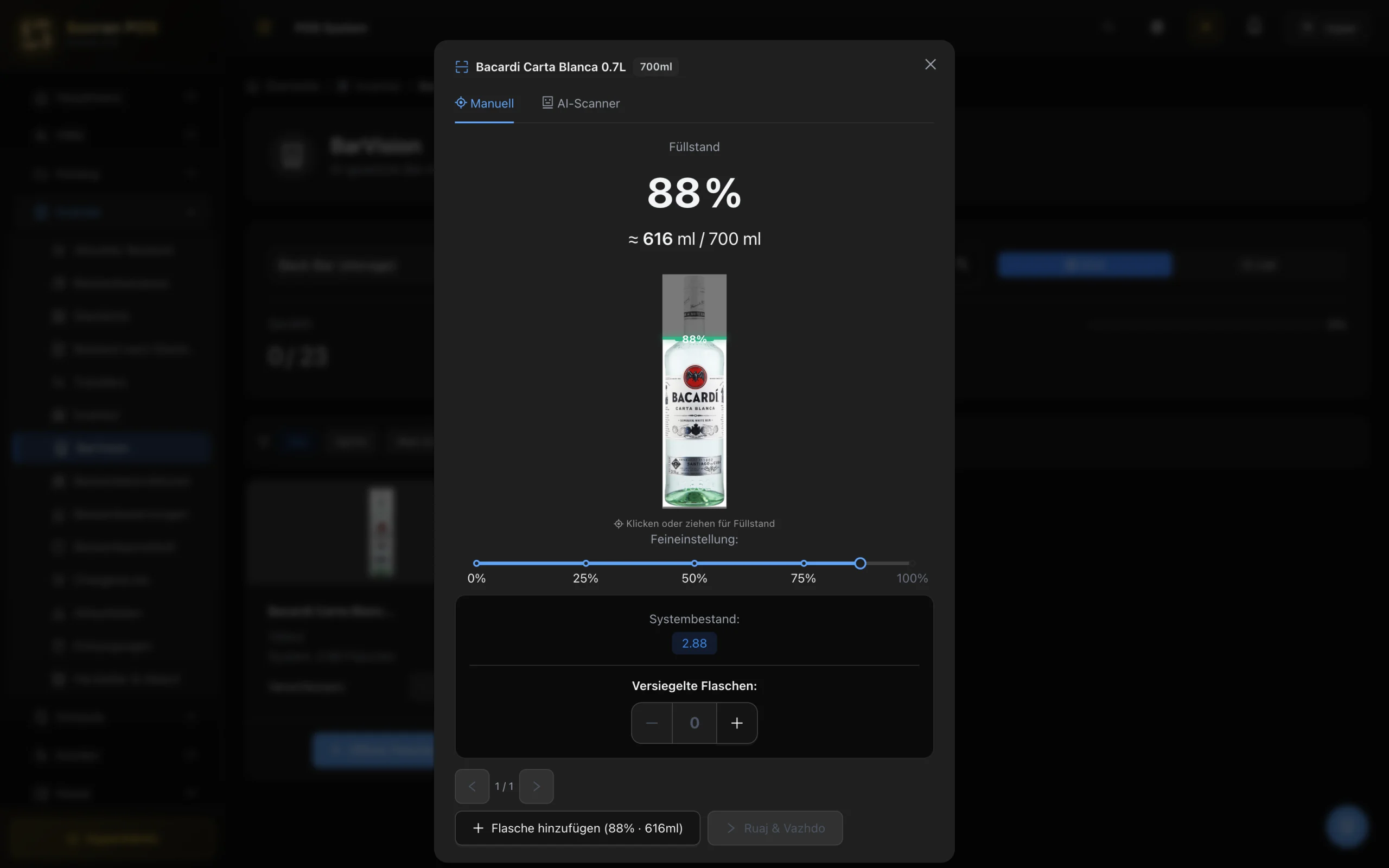
Bar Vision is the inventory count: every product, every storage area, who counted it and who approved it. The open bottle — the row you cannot count by eye — is read by the camera, with the label checked before the millilitres land on the row.

Bar Vision: an open bottle of Bacardi read at 88 % full, about 616 of 700 millilitres, beside the counted stock.

See SovranPOS on your own products.

Not on a sample menu — we show the till on your own menu, with no obligation.