
Current stock
Every product, every location, with quantity, reserved quantity and stock value. The list shows what is on hand and what is already below its reorder point.
Inventory software for restaurants & hotels
BarVision is the inventory module of SovranPOS: stock, counts, locations, transfers, batches, expiry and purchasing in one system — the same system that runs your till and fiscalisation. Every quantity is traceable from the sale to the count to the approval.
WebiPhoneAndroid
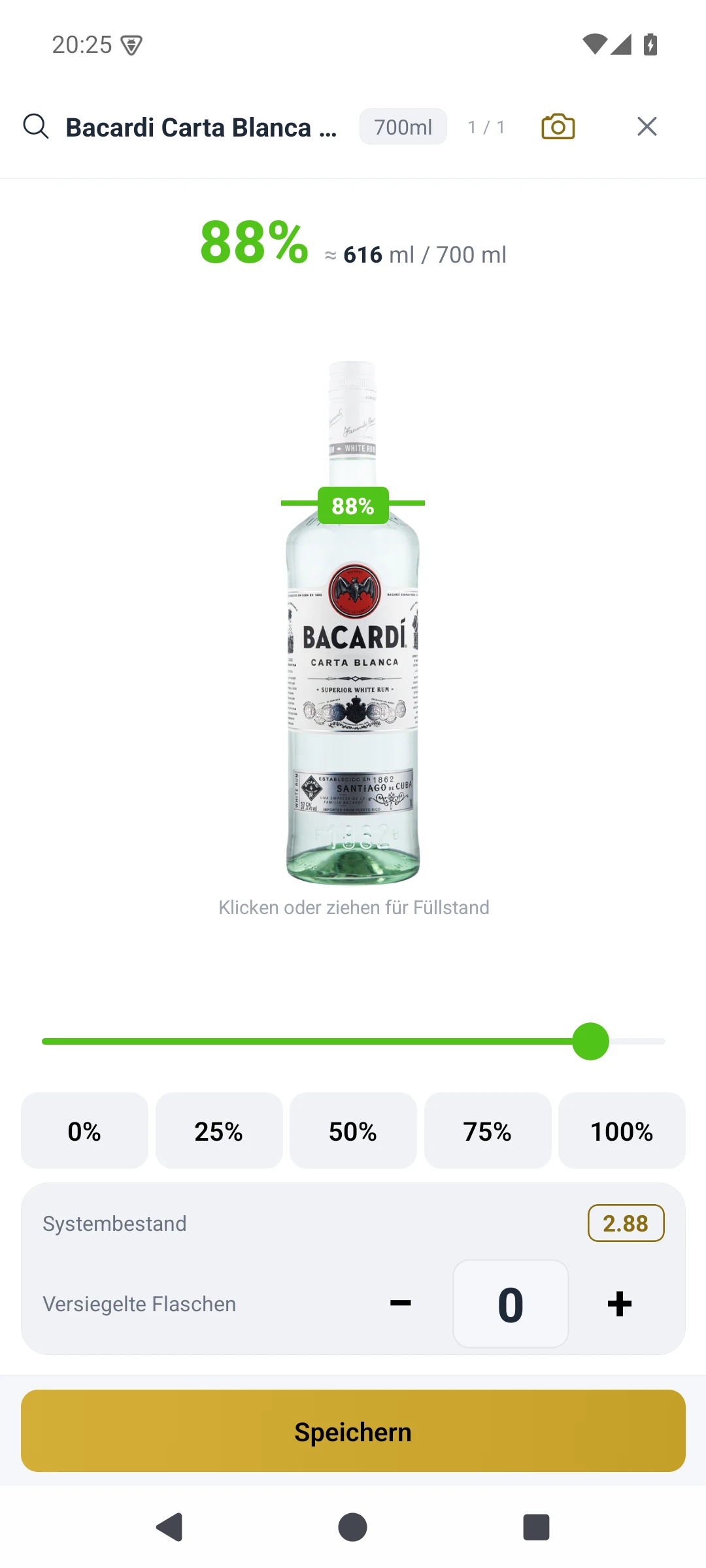
BarVision in the native app — Bacardi Carta Blanca 0.7 L, 88 % (616 of 700 ml).
From the shelf to the ledger: current quantities, value, locations, transfers and warnings side by side — every movement with a record, every variance with an address.
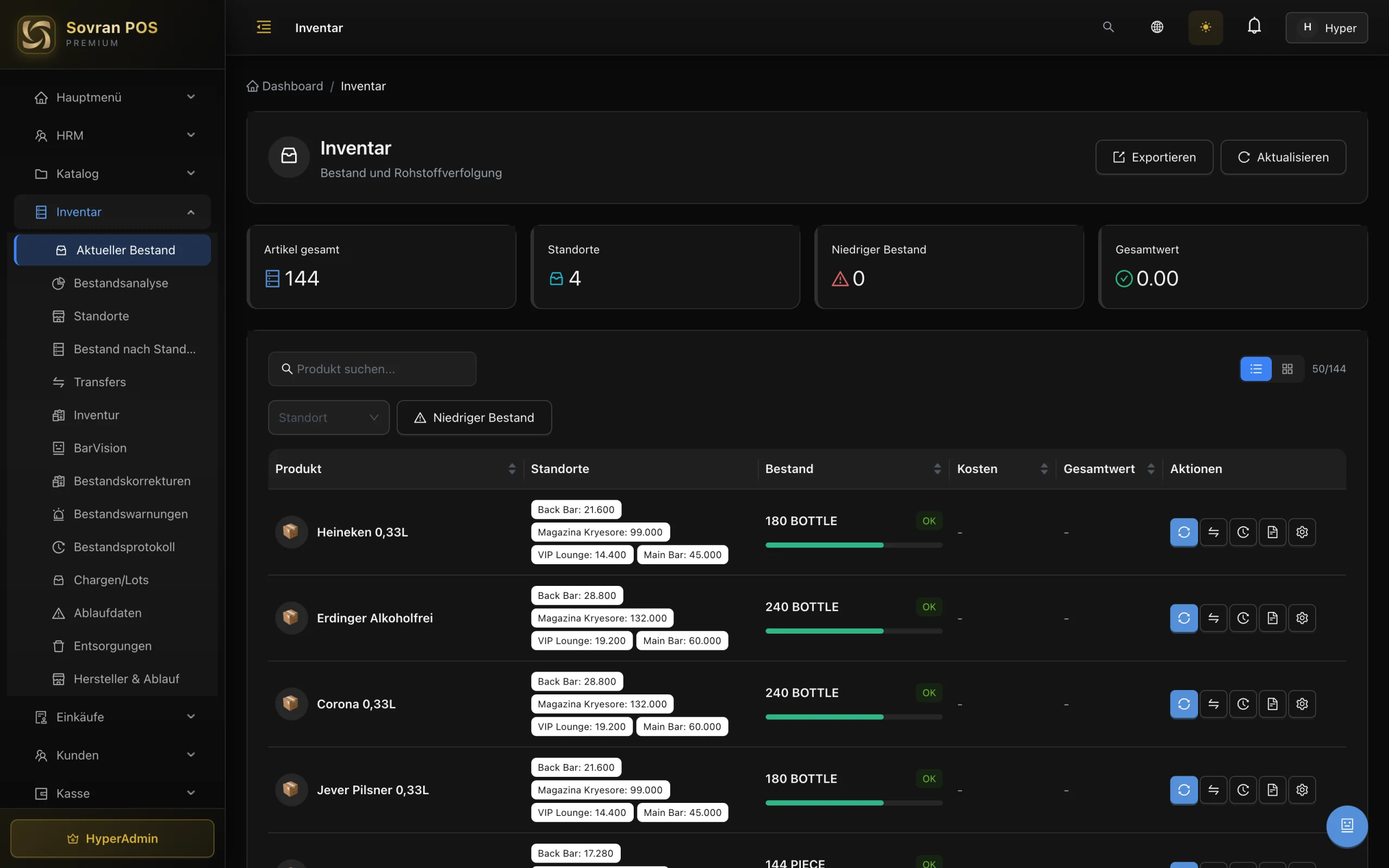
Every product, every location, with quantity, reserved quantity and stock value. The list shows what is on hand and what is already below its reorder point.
Main bar, back bar, cellar, kitchen, warehouse. Each location carries its own stock and its own reorder point, so a variance has an address.
Move stock between locations with source, destination and quantity. A pending transfer reserves at source and is booked at the destination only after approval.
Corrections carry quantity, reason and user. Every movement — purchase, transfer, correction, count — appears in the stock ledger.
Minimum stock, reorder point and overstock per location. Warnings arrive before the next service, not after the next count.
Stock value, value by location, month-on-month comparison and slow movers. It answers the owner's question: where is the money sitting?
One session, every product, every location. The app and the web app share the same count — not a local list that has to be merged later.
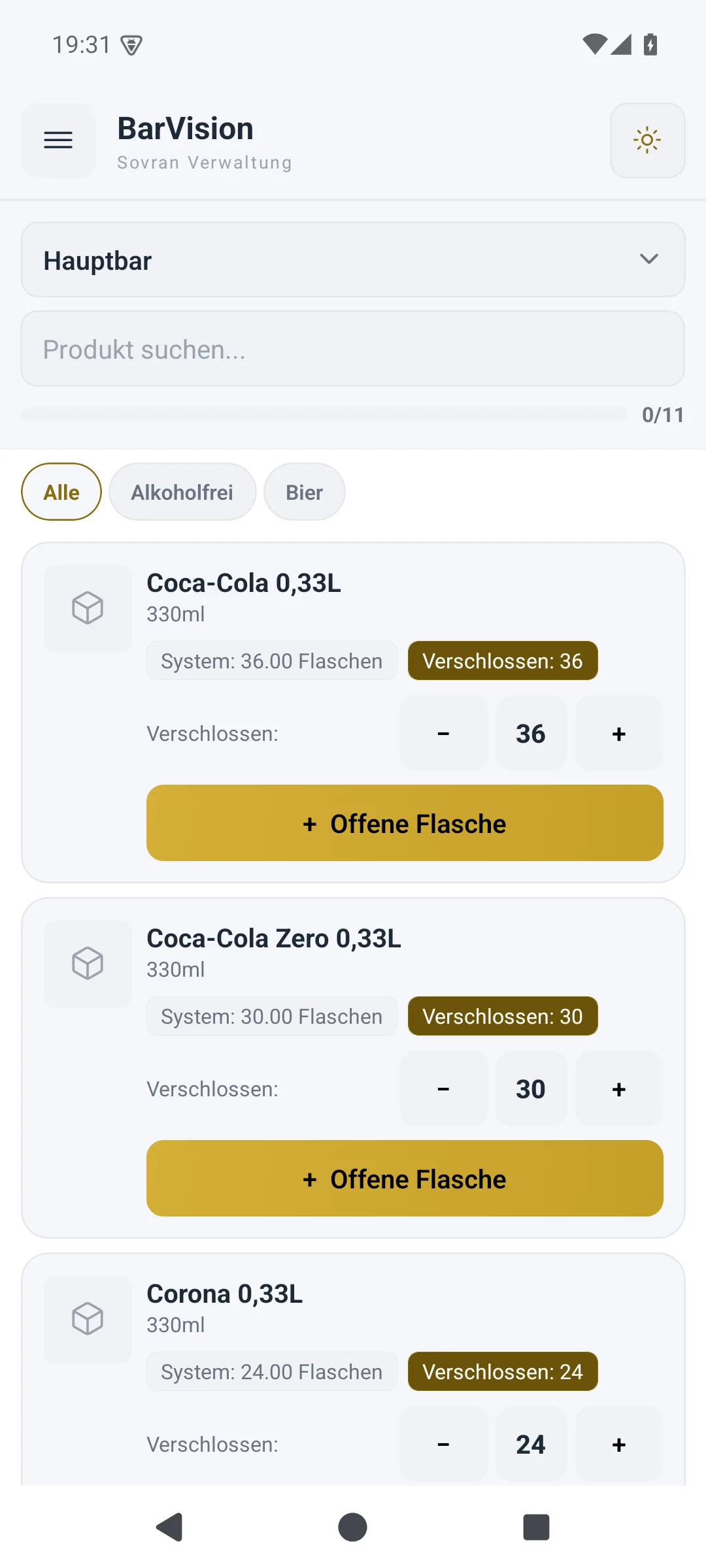
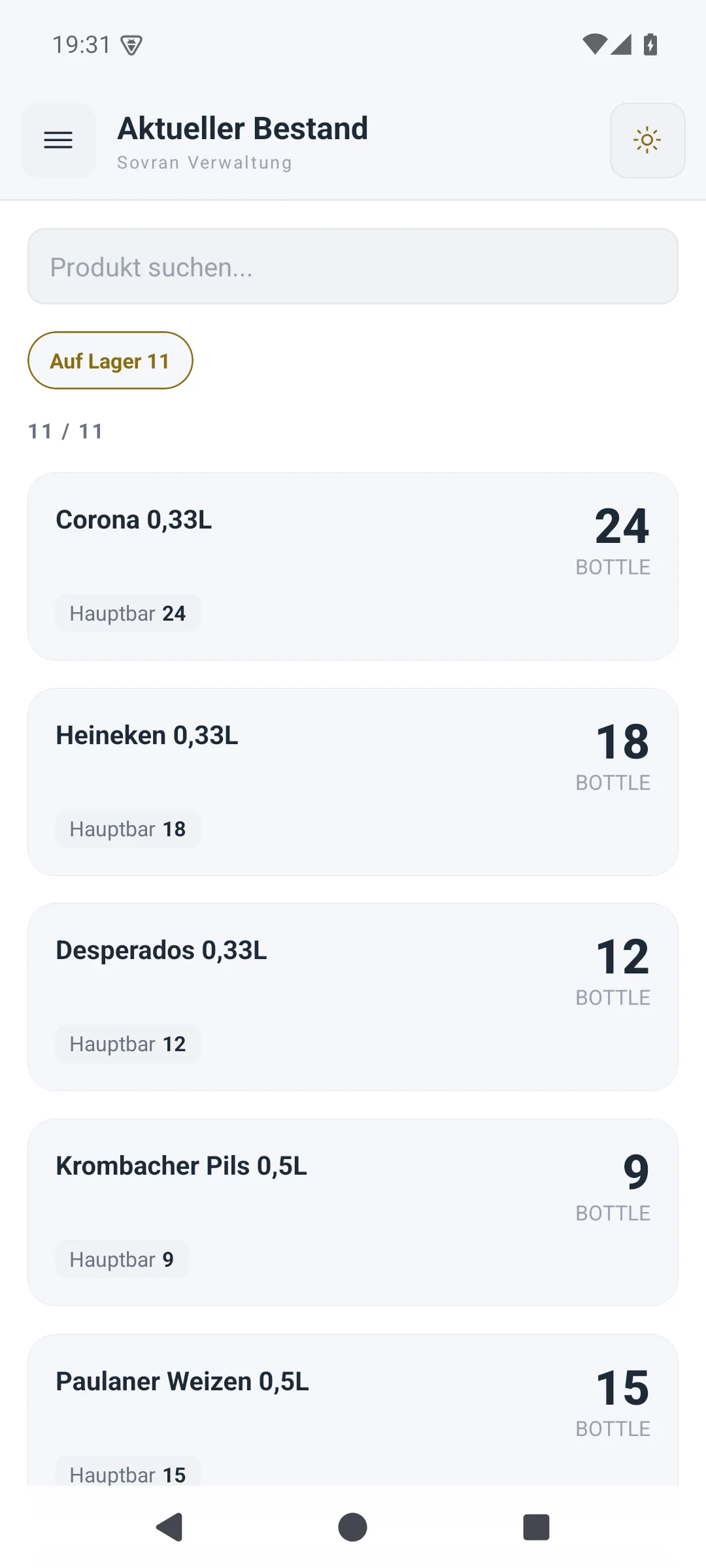
The count in the native app (left); current stock by location in the same app (right).
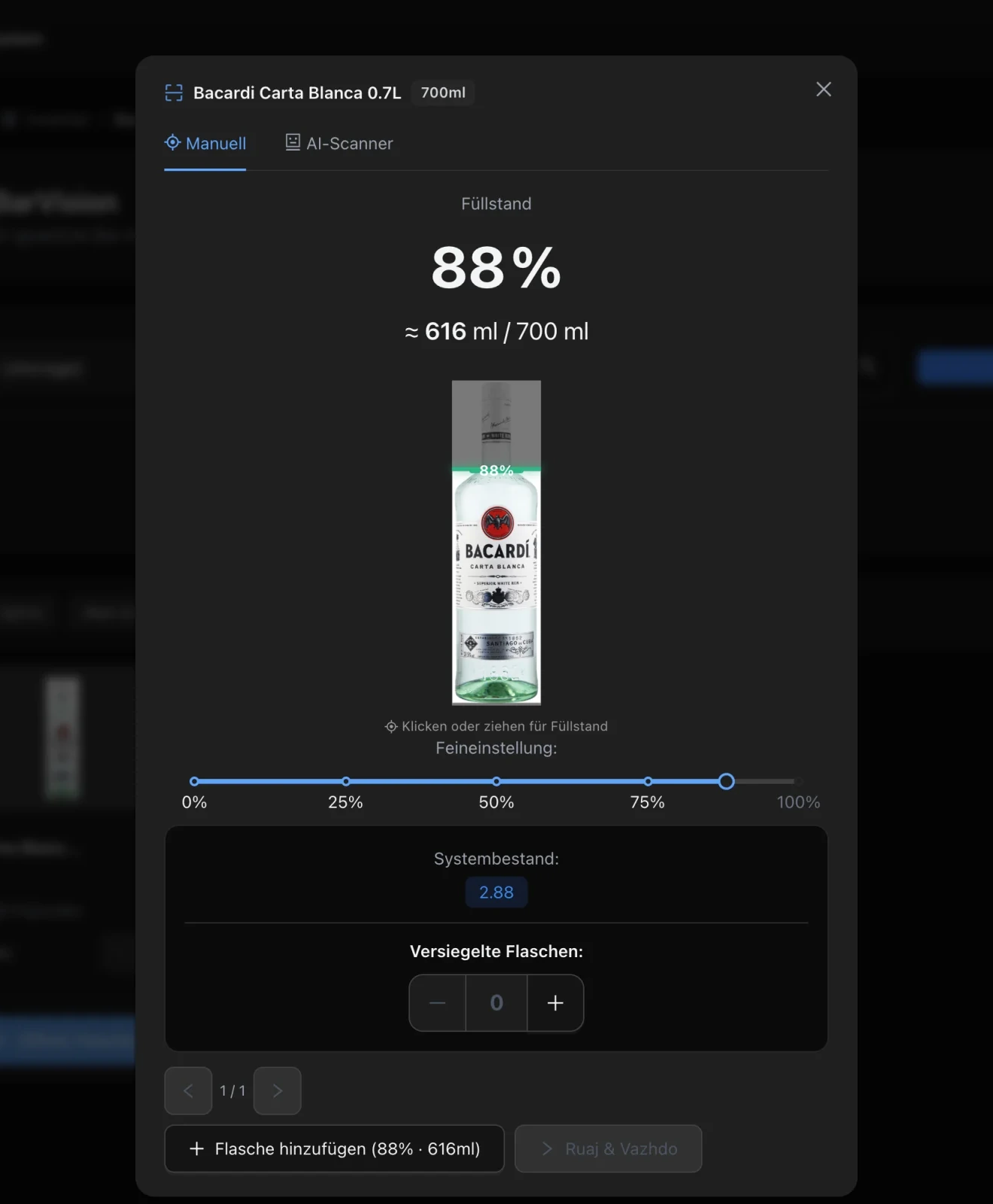
An open bottle is a quantity too. The camera reads its fill level in percent and millilitres and checks the label against the product. It is one part of the count: precise for the bottle, connected to everything else.
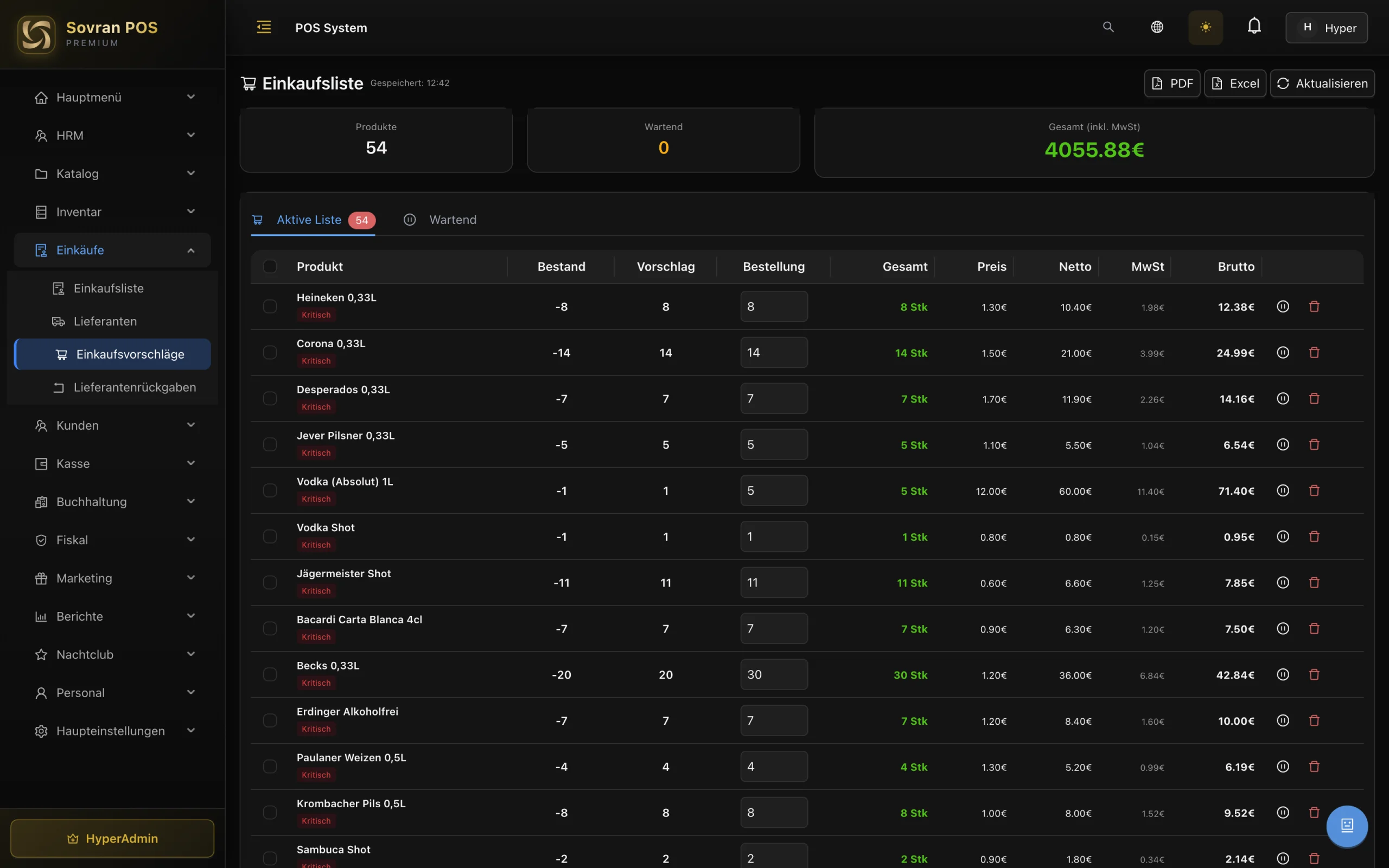
Purchasing starts from the stock itself: reorder points and negative quantities become a purchase suggestion, with supplier pricing, VAT and totals before anything is ordered.
Most inventory tools stop at the storeroom. SovranPOS is the till, the stock and the fiscal record together: the sale moves the stock, the receipt is signed, and the movement stays traceable.
Products and recipes deduct their ingredients at the till. Stock stays current without a second inventory tool and without double entry.
TSE signing, receipts and the DSFinV-K export sit in the same platform as the stock. One place for the sale and its fiscal record.
Each purchase, transfer, correction and count creates a movement with user and time; corrections carry a reason, counts carry the people who counted and approved. Receipts and stock live in the same platform.
Three steps, one chain of evidence.
Bar, back bar, cellar, kitchen, warehouse. Each becomes a stock location with its own quantities and reorder points.
On web or mobile, product by product. The camera reads open bottles; every other row is counted in the normal list.
Management checks the variance and approves. Stock, ledger and reports update; the count keeps who counted and who approved.
What it covers, who approves it, and where the camera fits in.
Yes. The count includes every product — spirits, beer, wine, soft drinks and food, including products with zero system stock. Bar Vision is one feature inside the count, for open bottles; it is not the inventory itself.
Approval is a separate right from counting. The count records who counted and who approved it, and management can reject and reopen a count.
When the count is submitted, uncounted rows close at the system quantity with zero variance. A row that was counted keeps its counted quantity and its variance.
Yes. The count session is on the server and is used by both the web app and the native app. The same session can be opened on more than one device; it is not a local list.
No. The camera reads open bottles: fill level in percent and millilitres, with the label checked against the product. Every other product is counted in the normal list; a mismatched label is not applied, and the slider corrects a reading. The camera on the phone, tablet or laptop is enough — no extra scanner.
Yes. Batch numbers and best-before dates are tracked per product and location, with expiry warnings. Waste is recorded with quantity, reason and user; the disposal log keeps the record. Purchase invoices can capture batch and expiry data at goods-in.
Yes. Transfers record source, destination and quantity. If approval is required, the transfer waits as pending: stock is reserved at source and only added at destination after approval.
Yes. SovranPOS runs the till, the stock and fiscalisation in one platform. In Germany that means TSE signing, receipts and the DSFinV-K export; the inventory data lives beside it. See the fiscalisation page for the country details.
Bring your current stock list. We will show you the count, the approval and the report — and how the sale and the fiscal record connect to it.